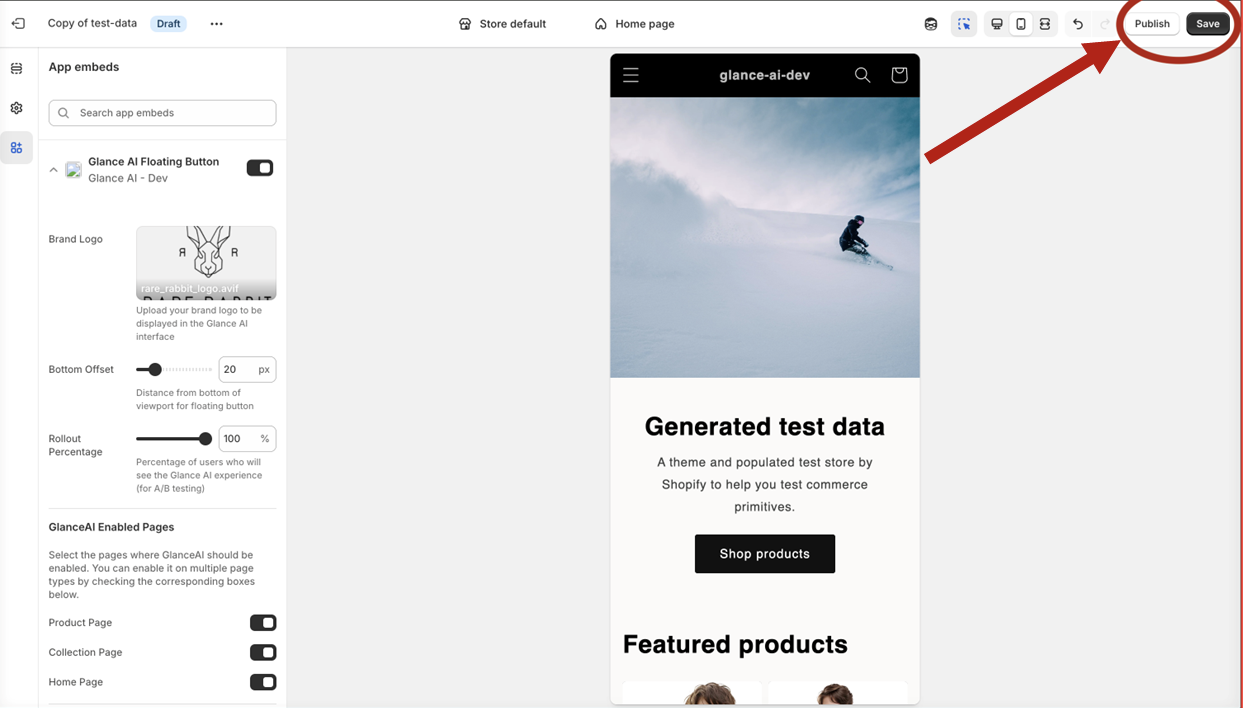
Theme Configuration
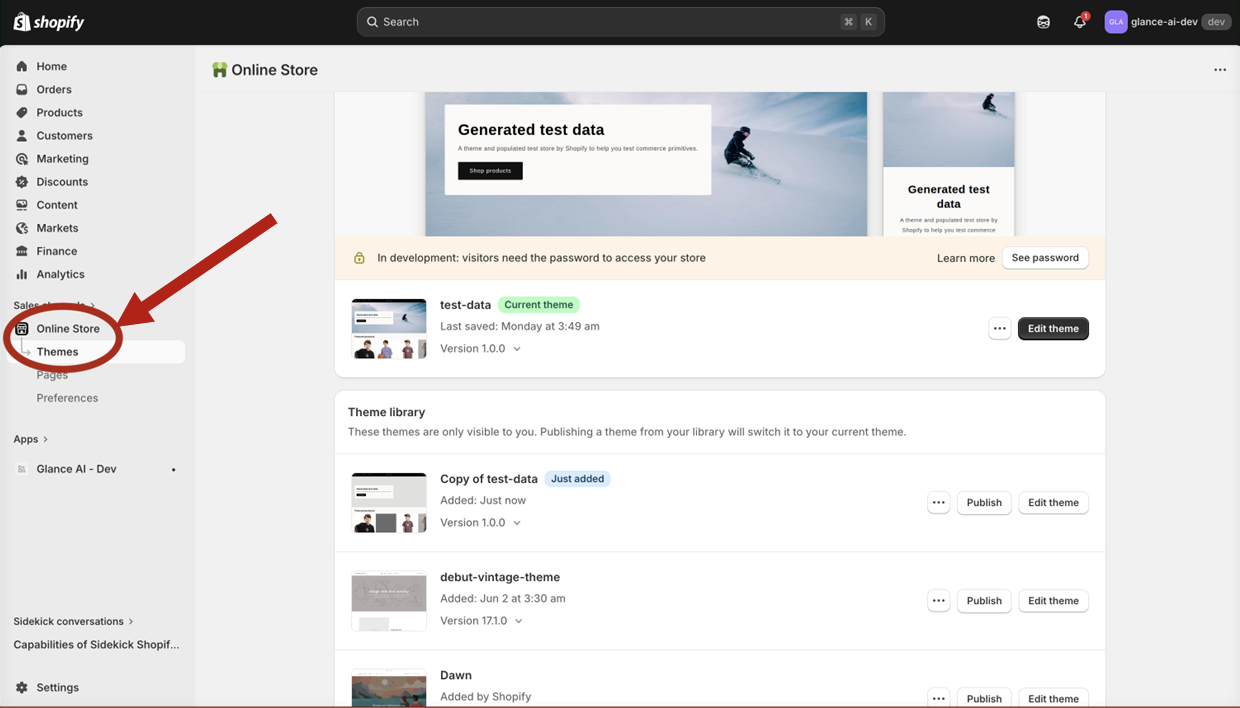
Step 4: Open Theme Settings
- From your Shopify admin, click Online Store in the left sidebar
- Select Themes
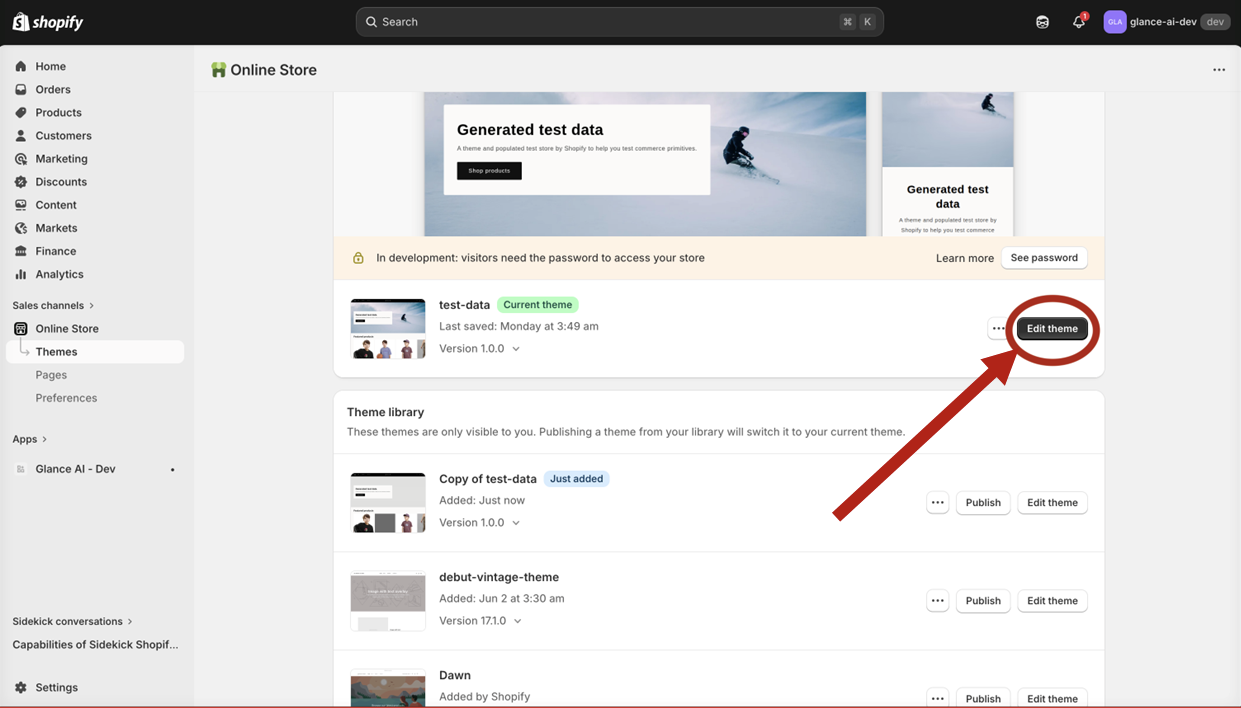
Step 5: Open the Theme Editor
- Locate your current (published) theme
- Click Customize to open the theme editor
Step 6: Choose Preview Mode
Glance AI works on both mobile and desktop. The theme editor opens in desktop view by default.
To preview the mobile experience, click the mobile icon at the top of the editor. Click it again to switch back to desktop view.
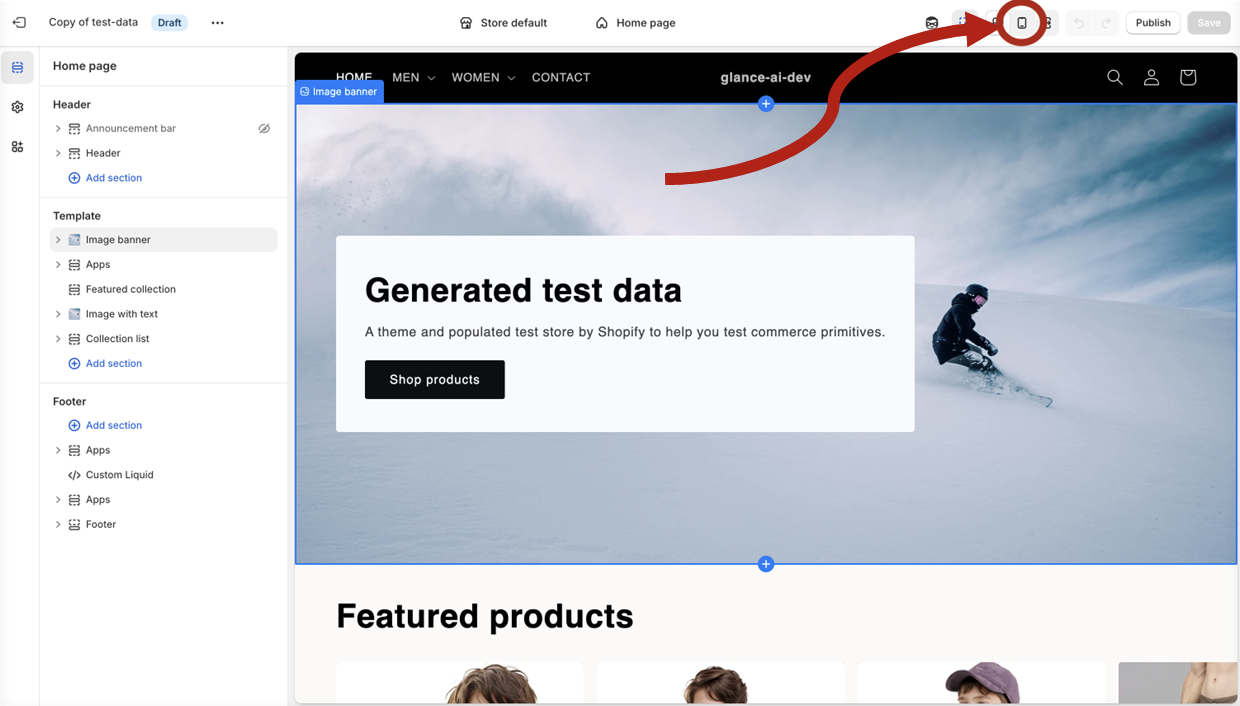
Tip
Test your widget in both desktop (default) and mobile views to ensure it displays correctly on all devices.
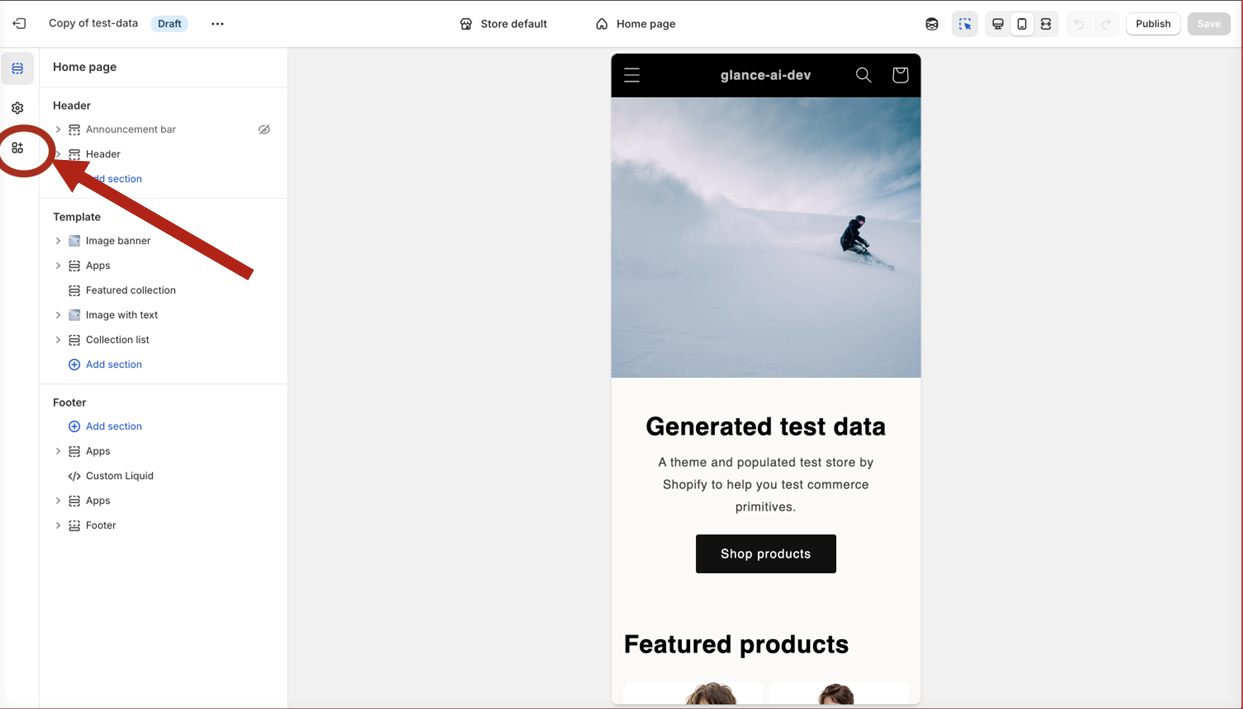
Step 7: Access App Embeds
- In the theme editor sidebar, find App embeds
- Click to expand the section
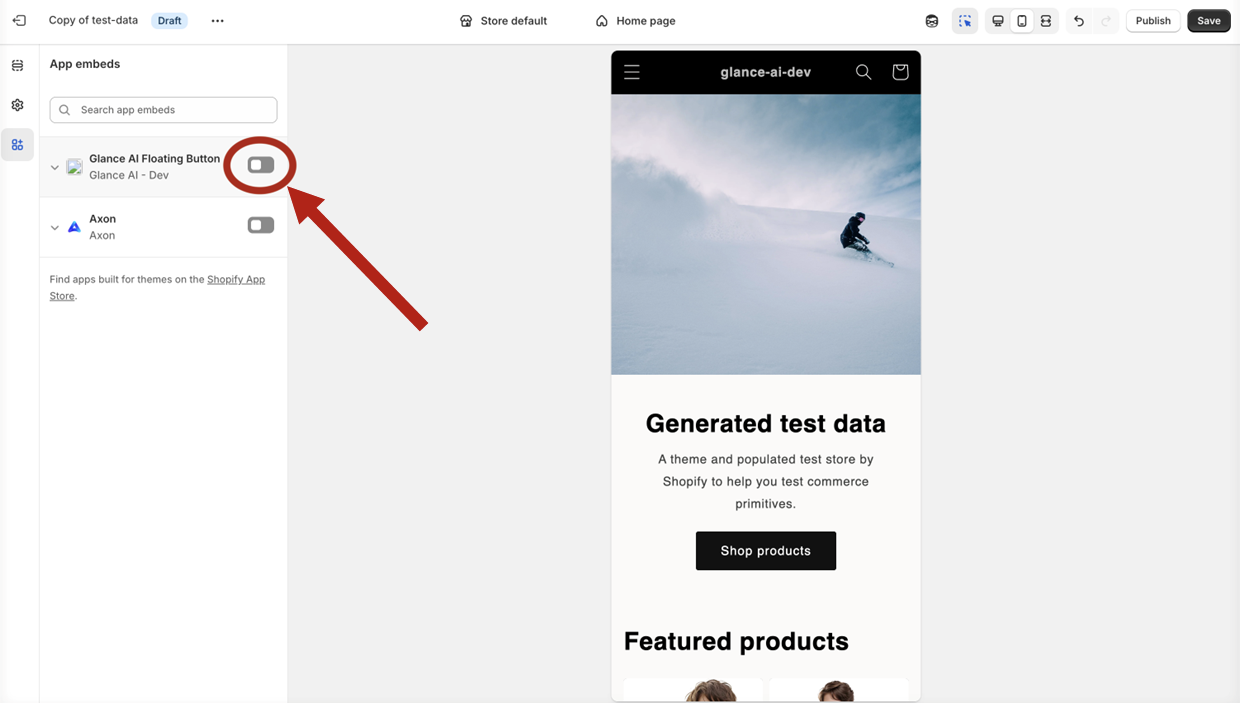
Step 8: Enable GlanceAI Plugin
- Find GlanceAI Plugin in the list
- Toggle the switch to enable
- Click Save
Step 9: Save and Publish
- Click Save in the theme editor
- Publish changes if prompted
- Your store now has Glance AI enabled