Widget Gallery
The Widgets tab is your widget gallery — browse the available widgets, preview what each one does, and add them to your store. Glance AI offers seven widget experiences. Each is designed for a specific shopper moment — pick the one that fits the page you're placing it on.
| Widget | Best for | Where it shines |
|---|---|---|
| AI Chat Stylist | Guided shopping & support | Any page (via the FAB) |
| Virtual Try-On Button | Quick try-on access | Product pages, collection grids |
| Virtual Try-On Banner | Eye-catching try-on prompt | Product pages, home page |
| Mix & Match | Outfit discovery + cross-sell | Product pages, lookbooks |
| Chat Banner | Intent-based product discovery | Search page, header, collection pages |
| Outfit of the Day | Daily styling & repeat visits | Product pages, home page |
| AI Product Summary | Fast, scannable buying decisions | Product pages |
Virtual Try-On Button Widget
A floating button that gives shoppers one-tap access to virtual try-on.
- Compact and unobtrusive
- Ideal when you want try-on available without taking up layout space
- Position and placement are configurable (left/right, offsets)
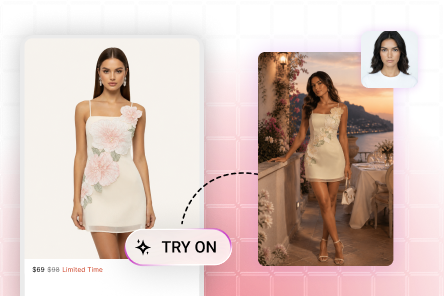
Virtual Try-On Banner Widget
A banner-style widget that invites shoppers to try the product on.
- High visibility — great for driving engagement
- Supports a custom title, subtitle, and background
- Best placed near the product image or description
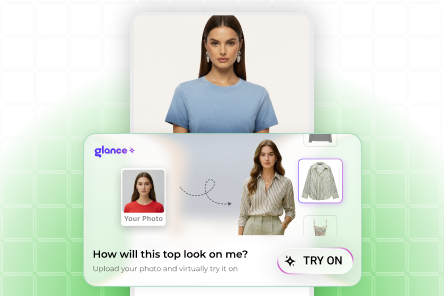
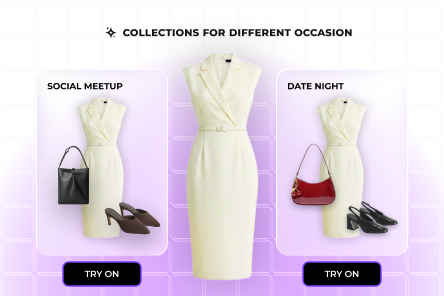
Mix and Match Widget
Shows complete outfit suggestions with Virtual Try-On and Add to Cart built in.
- Encourages larger baskets through complementary product suggestions
- Combines discovery and try-on in one widget
- Great for fashion and apparel catalogs
AI Chat Stylist
An interactive AI chat assistant for product discovery and customer support.
- Acts like a personal stylist — answers questions and recommends products
- Surfaced through the floating action button (FAB)
- Works across the whole store
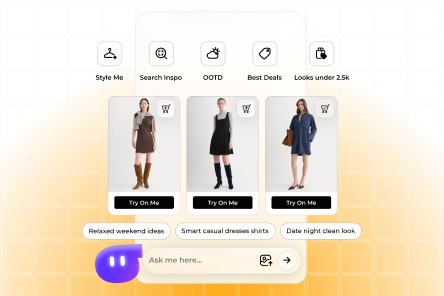
The Chat widget and the FAB
The Chat experience appears through the floating action button. Make sure the FAB is enabled for the pages where you want chat — see Chat Settings above.
Chat Banner Widget
Natural-language search that understands shopper intent, not just keywords.
- Interprets conversational queries (e.g., "linen shirts for a summer wedding") and returns relevant products
- Goes beyond exact keyword matching to surface more of your catalog
- Best placed on the search page or in the header, and works well on collection pages too
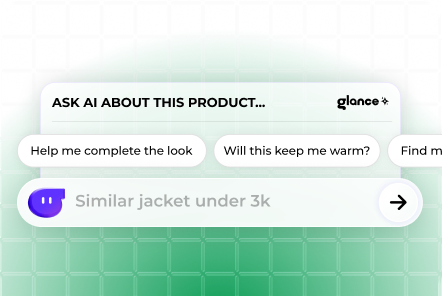
Where AI Search shines
Use it anywhere shoppers look for products — the search page, the header search bar, and collection pages. It's especially effective for large catalogs where keyword search misses relevant items.
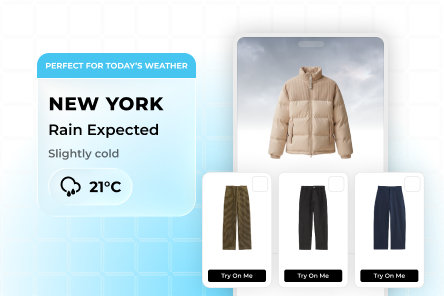
Outfit of the Day Widget
Weather-aware, AI-curated outfit picks that give shoppers a reason to come back every day.
- Shows whether a product suits today's conditions and suggests better-fitting alternatives if not
- Surfaces daily fresh looks that encourage repeat visits and deeper catalog discovery
- Best placed on product pages and the home page
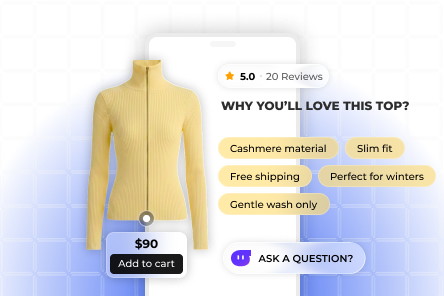
AI Product Summary Widget
Distills a product's existing details — title, description, and specifications — into clear, scannable highlights so shoppers can decide faster.
- Turns long product descriptions and spec sheets into concise, at-a-glance takeaways
- Uses only the product information already in your catalog — no manual writing required
- Helps shoppers grasp the key points instantly, reducing bounce
- Best placed on product pages, close to the buy button